
What is a business operating system? And how to build one in Notion
What a business operating system is, what it includes, and how to build a simple one in Notion with five connected databases.
Most entrepreneurs don’t lack plans. They lack a place where those plans meet the actual week. Goals sit in a document, tasks in an app, clients in a spreadsheet, and the weekly numbers in someone’s head. A business operating system brings those pieces together, so direction turns into daily work.
In this guide we explain what a business operating system is, what it includes, and how to build a simple version in Notion.
What is a business operating system?
A business operating system is the set of tools, routines and agreements that decides how work gets done in your business. It answers four questions:
- Where are we going? Goals and priorities.
- What are we working on? Projects and tasks.
- How do we do recurring work? Processes and checklists.
- How do we know it’s working? Numbers and reviews.
Every business already has one, even if it lives in someone’s head. The difference is whether it’s written down and connected, or scattered and dependent on memory.
Notion works well for this because it combines databases, documents and views in one workspace. You can link a goal to the projects that serve it, and a project to the tasks you do today.
Examples
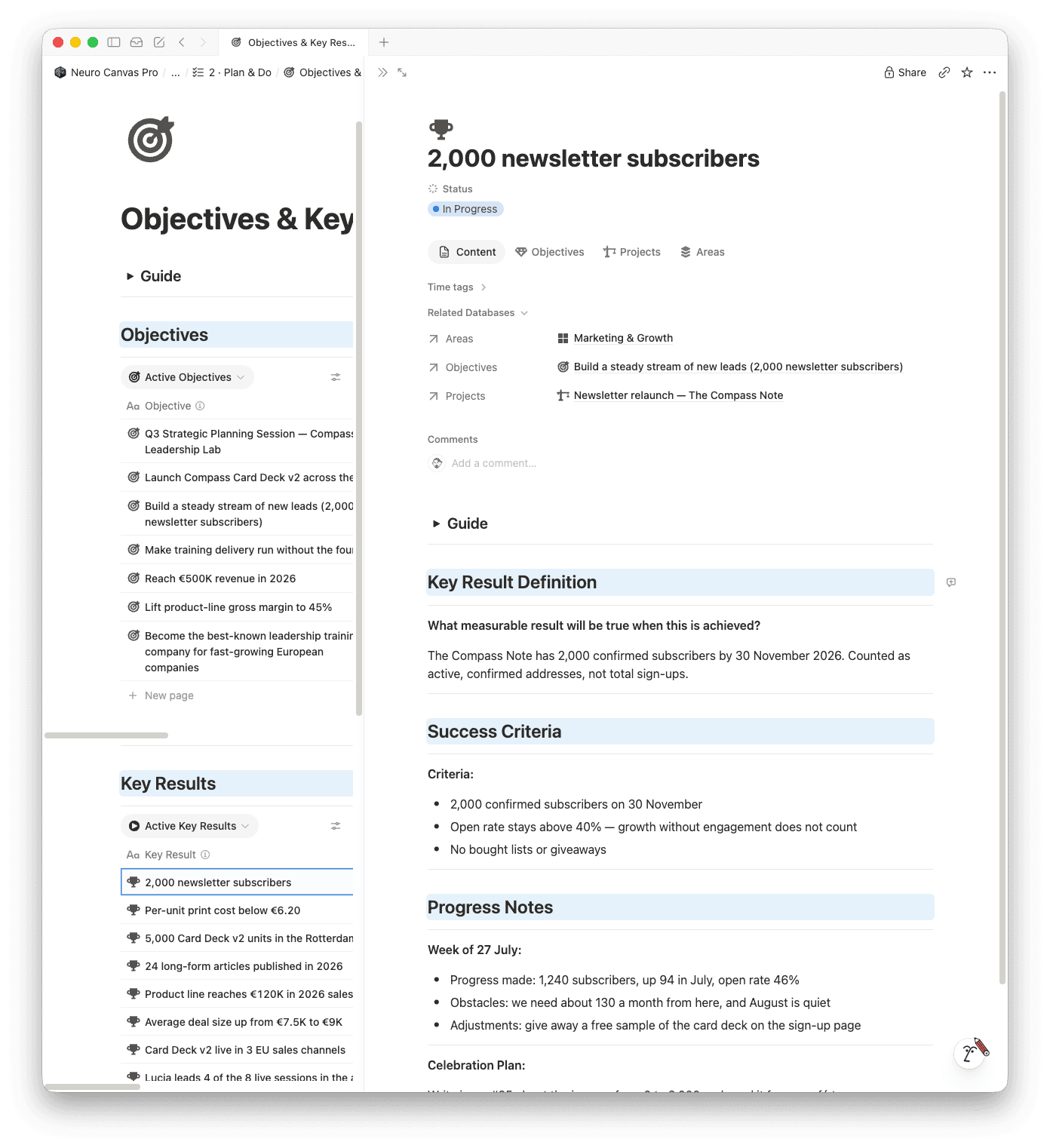
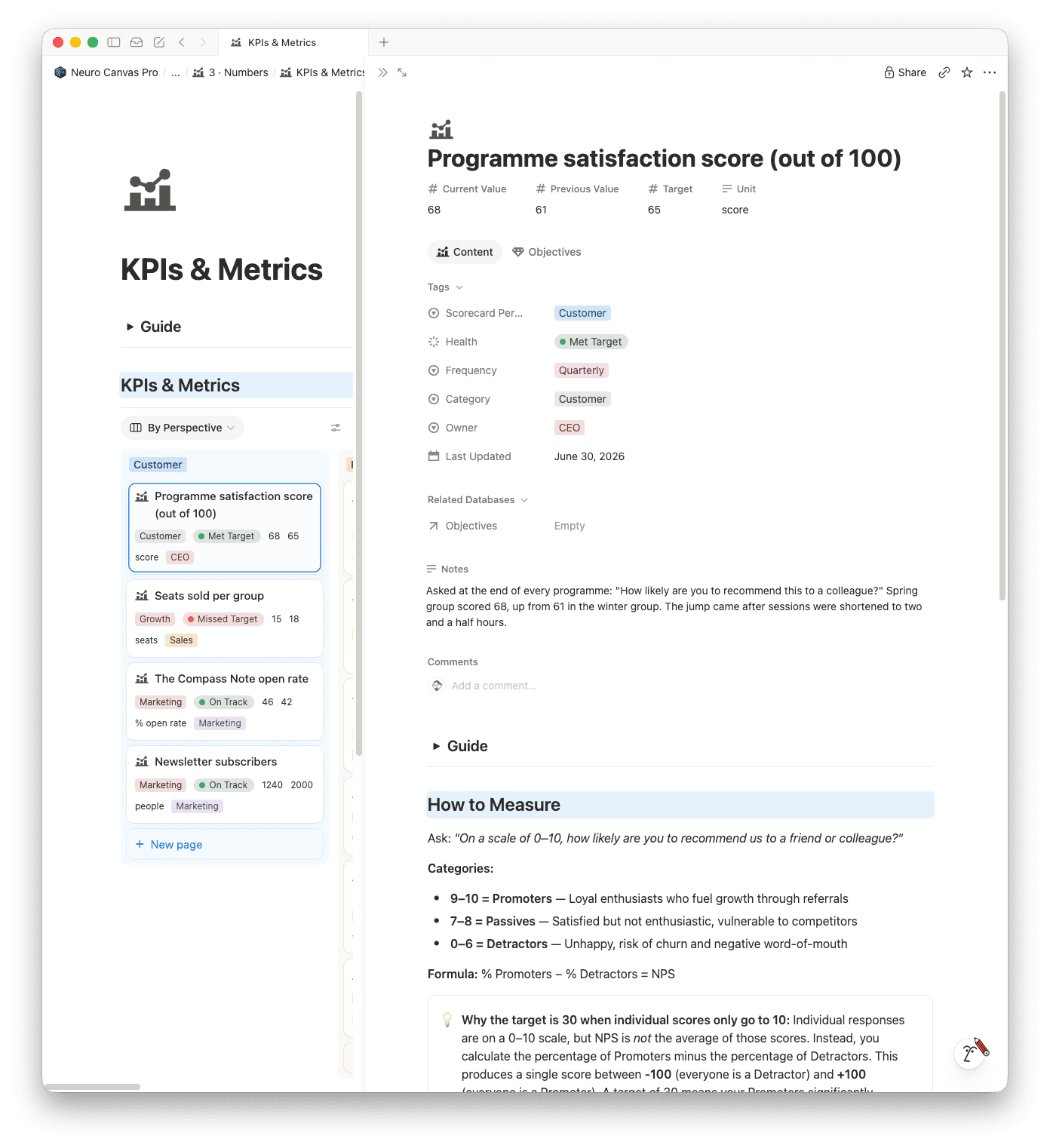
Screenshots from the Neuro Canvas system, shown with sample data.
Your workspace is built around your business.
Click the image to open

What a business operating system includes
You don’t need all of this on day one. But a complete system usually covers these parts:
- Direction: a short vision, yearly goals and quarterly objectives.
- Projects: work with a clear outcome and an end date.
- Tasks: the next actions, planned per day or week.
- Clients and offers: who you serve, what you sell, and what you deliver.
- Processes: standard operating procedures (SOPs) for work that repeats.
- Numbers: a few key figures you check every week.
- Rhythm: daily planning, a weekly review and a quarterly reset.
- Knowledge: notes, decisions and context, including what you give AI to work with.
How the parts connect
The value of a business operating system is not in the parts. It’s in the links between them. The most important chain is:
Objective → Key result → Project → Task
When every task links to a project, and every project to a key result, you can see at any moment whether today’s work moves your goals forward. And when something doesn’t link to anything, that’s a useful question: why are we doing this?
A second chain runs through delivery:
Offer → Client → Project → Process.
It keeps client work consistent, because every delivery follows the same steps.
We go deeper into the first chain in How to connect OKRs to daily tasks in Notion.
A minimal setup in Notion: five databases
Start small. These five databases cover most of what a solo entrepreneur or small team needs.
1. Goals
One row per objective. Properties: quarter, status, owner, and a relation to Projects. Add key results as separate rows or as a linked database if you want to track progress per result.
2. Projects
One row per project. Properties: status, deadline, relation to Goals, relation to Tasks, and relation to Clients if it’s client work. Add a rollup that shows how many tasks are done.
3. Tasks
One row per next action. Properties: date, status, priority, relation to Projects. Create views for Today, This week and Inbox. This is the database you open every morning.
4. Clients
One row per client or customer group. Properties: offer, status, contact details, relation to Projects. For e-commerce, this can become a Products or Suppliers database instead.
5. Processes
One page per recurring workflow, with a checklist inside. Link processes to projects or tasks, so the steps are right where the work happens. Use database templates to create a new task with the checklist already in place.
Then add one dashboard page that shows today’s tasks, active projects and this quarter’s goals. That page is where your day starts.
Prefer a ready-made version? See the Neuro Canvas system, click here.
Add a rhythm, or the system goes stale
A system that nobody reviews stops being true within a few weeks. Two routines keep it alive:
- Daily (5 minutes): pick today’s tasks from This week, and check what’s due.
- Weekly (30 minutes): look back, clear the inbox, check goals and plan the next week.
We describe a weekly review that holds up in practice in A weekly review that actually happens.
Common mistakes
- Building everything at once. Start with Tasks and Projects. Add Goals when those are used daily.
- Collecting templates instead of connecting them. Ten separate templates are not a system. Relations are what make it one.
- Too many properties. If you don’t filter or sort on a property, you probably don’t need it.
- No owner for the review. Put the weekly review in your calendar as a recurring task.
- Separating life and business completely. They share the same hours. Planning them in one place makes your week more realistic.
Where AI fits in
Notion AI can help you prepare a weekly review, summarise a project or draft a process. It works much better when your system is connected, because the context is already there. Keep AI in a supporting role: it prepares, you decide.
Build it yourself, use a ready system, or get it built
There are three ways to get a business operating system in Notion:
- Build it yourself with the five databases above. It takes time, but you learn how every part works.
- Start from a ready system. Neuro Canvas gives you Life, Business, Agent and Master Canvas, already connected, with example data to explore and built-in templates for recurring work.
- Have it built around your business. With Notion consulting, we design and build the system with you, and hand it over with SOPs.
Whichever you choose, start with one goal and one week. A system grows best when it’s used.
Not ready for the full system? Neuro Canvas Start is free: one page in your own Notion for what matters today.
Frequently asked questions
Is a business operating system the same as project management?
No. Project management is one part of it. A business operating system also covers goals, recurring processes, numbers and the routines that keep everything up to date.
Is Notion good for running a small business?
Yes, for most solo entrepreneurs and small teams. It combines databases, documents and dashboards in one place. For accounting and payments you still use dedicated tools.
How long does it take to set up?
A minimal version with Tasks and Projects takes an afternoon. A complete system grows over a few weeks of daily use.